Scholar Stack Fusion is one system, not a pile of tools. Here is every feature, grouped by the stage of learning it serves. Each stage is built from your own lecture, and each one hands the next something to work with.
Everything starts with your material. Record it live or bring it in from anywhere you keep it.
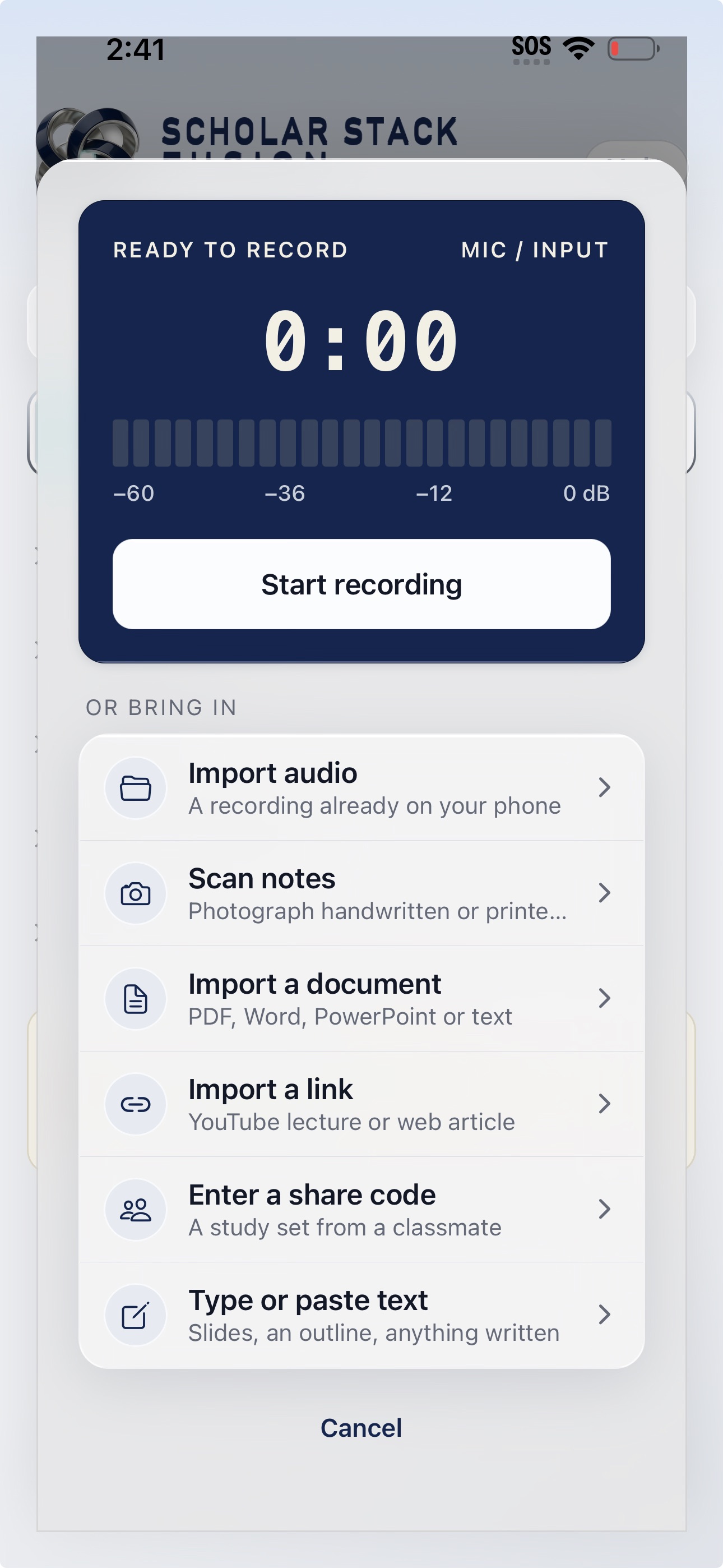
Record in the app with a live level meter. Unlimited, including on Free.
Transcribed on your phone, unlimited. The lecture audio stays on your phone.
More accurate for long or noisy recordings. 60 minutes in total on Free, then study credits on paid plans.
PDFs, Word documents, slides and web links. Fusion sorts each file by what it is.
Paste your Canvas calendar link and your exams and deadlines appear in Fusion's calendar.
The transcript is proofread for you and stays editable, with playback beside it.
The outline is the source every other tool is built from. Get it right once, and every tool after it inherits that.
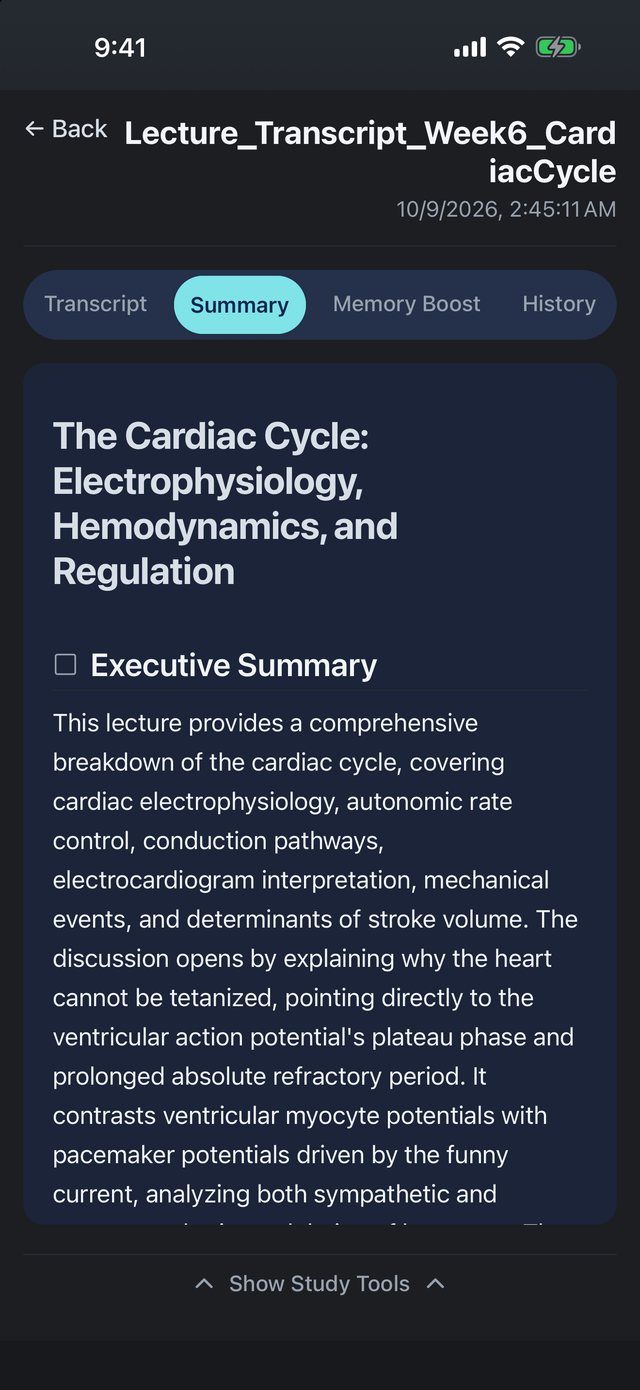
Sections, concepts and key takeaways, plus an executive summary of the whole lecture.
Fix a heading, add a point, cut what doesn't matter. Your edits flow into every tool.
Ask a question about a lecture. The answer comes from your own material.
See how a lecture's ideas connect to each other.
Read the outline in another language when that helps it land.
Each course has an Overview, its Materials, a Study shelf and Insights, so a semester stays in one place.
Select any part of the outline and tap Remember this. You choose the tool. Nothing memory-related runs on its own.
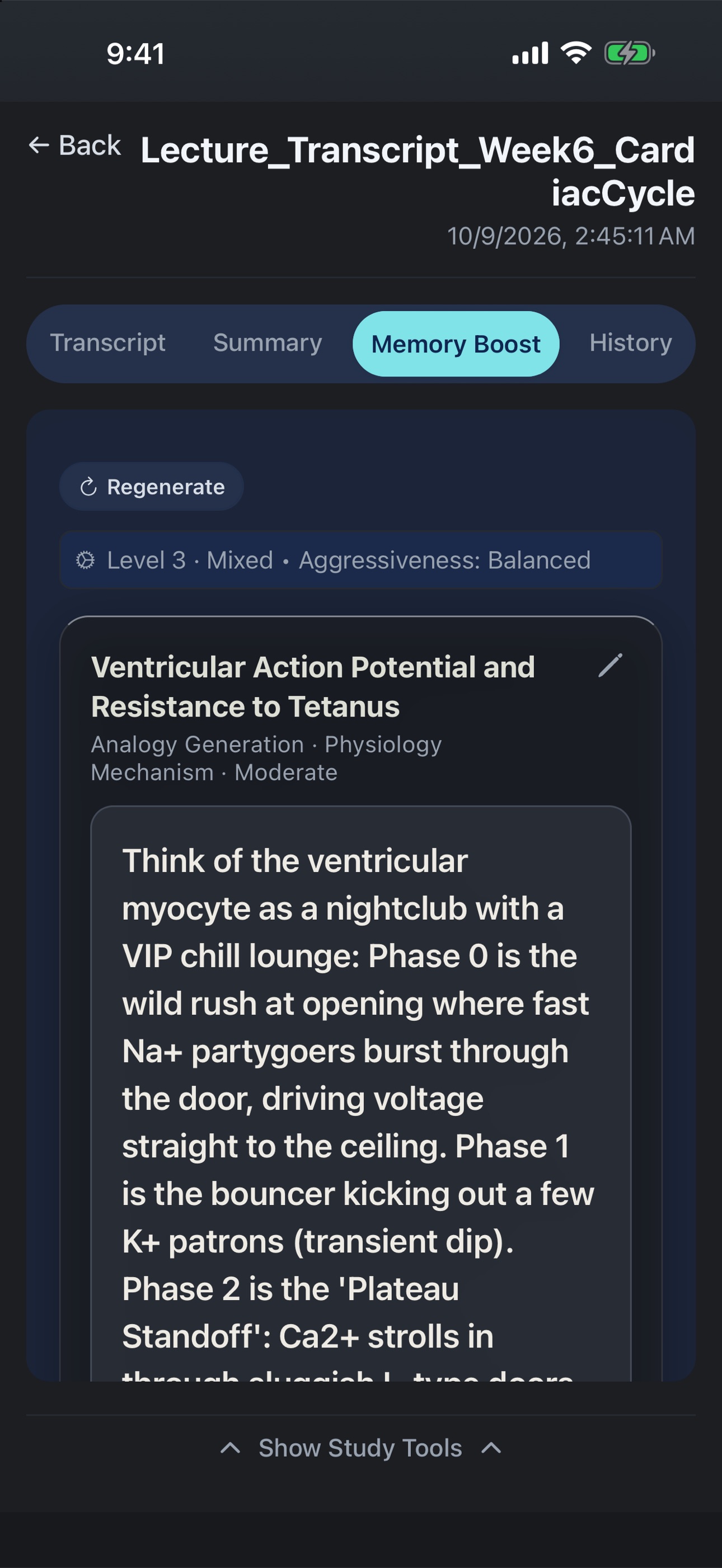
All six are always shown, in the same order, none picked for you. A short note says what shape your selection has and which tools usually hold that shape.
| If the material is… | These tools usually hold it |
|---|---|
| Ordered steps | Story, Chunk |
| A list of names | Mnemonic, Song |
| A hierarchy | Chunk, Visual |
| A definition | Analogy, Mnemonic |
| A chain of causes | Story, Analogy |
| Something spatial | Visual |
| Numbers | Mnemonic, Chunk |
Holds names and order. The classic, built from your outline.
For structure and placement: something you need to see.
Turns a process or a chain of causes into a story you can replay.
Groups many items, or a long number, into pieces you can carry.
Maps a new idea onto something you already know.
A whole lecture set to music. Every line rhymes, with the tested term on the rhyme. 10 songs a month.
From Straightforward to Unforgettable. Plain works for some topics. Others stick better when the image is stranger or funnier.
AI memory pictures that turn a concept into an image. 30 a month, 3 to try on Free.
When you miss a concept in a quiz or oral exam, Fusion offers to make a memory aid for it right there. Every aid you make also shows up on the flashcard as a hint and on your course's Memory Tools shelf.
Recognizing an answer is easy. Retrieving it from nothing is the skill the exam tests.
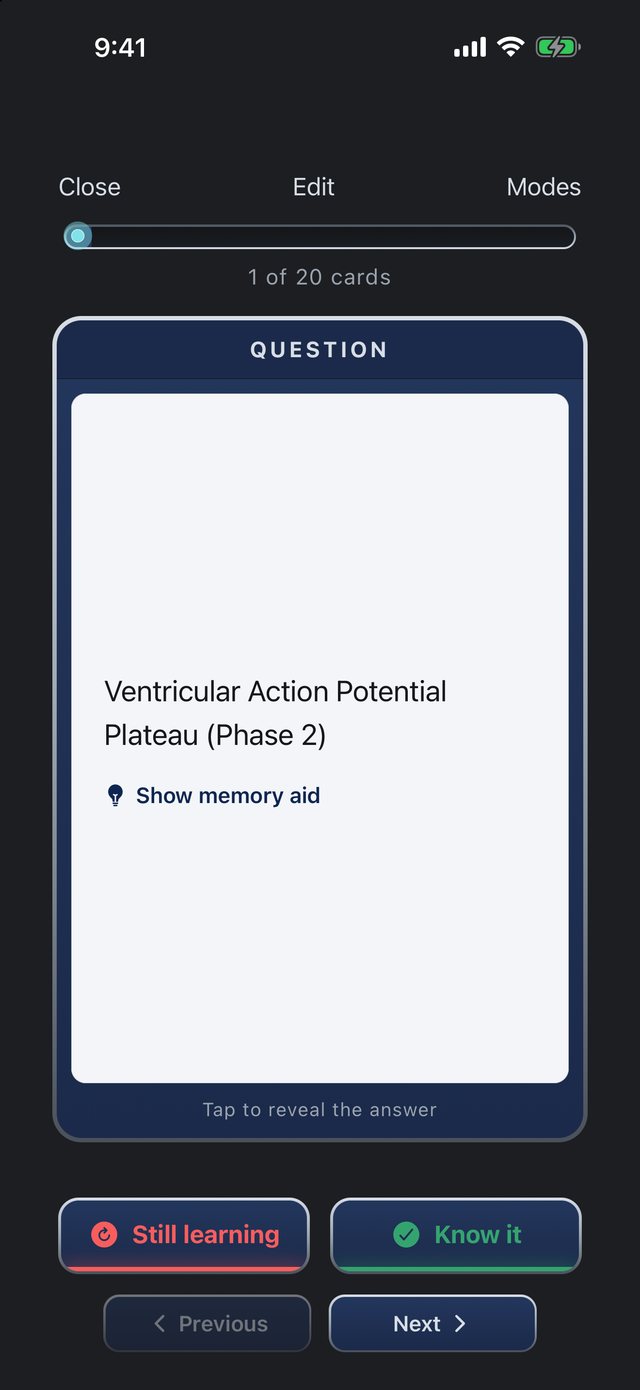
Tap Know it and a card waits longer before it comes back: 1, 1, 3, 7, 16, 35, then 90 days. Tap Still learning and it returns tomorrow. Regenerate a deck and the history of every surviving card is kept.
Decks built from the outline, not a shared library.
Edit, add or remove any card.
Import your old decks, or export Fusion's.
Send a deck or an outline to a classmate.
There is no fixed question bank. Questions are written for your lecture, and they keep changing angle.
For every lecture, Fusion records which concepts have been tested and from which angle: definition, application, scenario, edge case and cross-concept. Each key concept is tested five times, from a new angle each time, before any angle repeats. The least-tested concepts go first.
Multiple choice, with an explanation for every answer.
Write it in your own words. Fusion grades what you meant.
Exam conditions: 90 seconds a question, the clock on screen, the last minute flagged.
Photograph a problem and see it worked step by step. The photo is not kept.
If you can explain it with nothing in front of you, you know it. The oral exam is where that gets tested.
Fusion gives you a concept, like an index card. You get 25 seconds to think, then the microphone starts on its own and you have 60 seconds to explain it out loud. Your answer is graded in about 3–4 seconds: what you got right, and what you left out.
The spoken answer is graded and then gone. Only the grade is kept.
Dynamic, our live AI voice tutor, examines you in real time. Meet Dynamic
A score tells you how you did. Fusion wants to know why.
Every quiz answer, flashcard and spoken answer is evidence about a concept. Fusion tracks each concept on four levels: recognize, recall, apply and explain. Student Intelligence shows you what you can explain and what you only recognize.
Answers Fusion grades itself count in full. Flashcards you mark yourself count at half weight. No level is claimed without enough evidence.
A fact you can't recall, an idea you can't apply, an explanation that won't come: each is named, so the next study step fits it.
A concept keeps the same identity in your flashcards, quizzes and oral exams, so the evidence adds up across all of them.
Home's Continue studying card points to the next step that still needs doing.
Knowing it once isn't the goal. Each round goes back over the concept from a new angle, and goes further.
Fusion learns your professor's exam style from your course material and predicts likely exam questions. The predicted exam is multiple choice.
Past papers are read as a style sample: how your professor writes stems and wrong answers. That style follows them to every class they teach, and the gap between syllabus and exam shows what they really test.
Add the syllabus, past exams, study guides and notes. Fusion tracks what the class emphasizes, your exam dates and your pace through the material.
Retest the predicted concepts from a new angle, add the topics the prediction left out, or both. Each variation is saved as a quiz you can sit.
Send your learning profile to Dynamic, so your live tutor starts where you are weakest.
The loop works best when you come back to it. These help you do that.
A small target every day, and a streak for keeping it.
Timed, focused study blocks.
Exams and deadlines, including your Canvas feed.
Every lecture filed under its course.
A short listen for the walk to class.
Fusion is built for both. Coming soon to the App Store.
Your lectures on your computer: read outlines side by side, review flashcards from the keyboard, sit timed quizzes and oral exams. Same account. Open Fusion Desk
Scholar Stack Dynamic is a separate app: a real-time AI voice tutor and oral examiner. On the web now, and coming to iPhone and iPad.
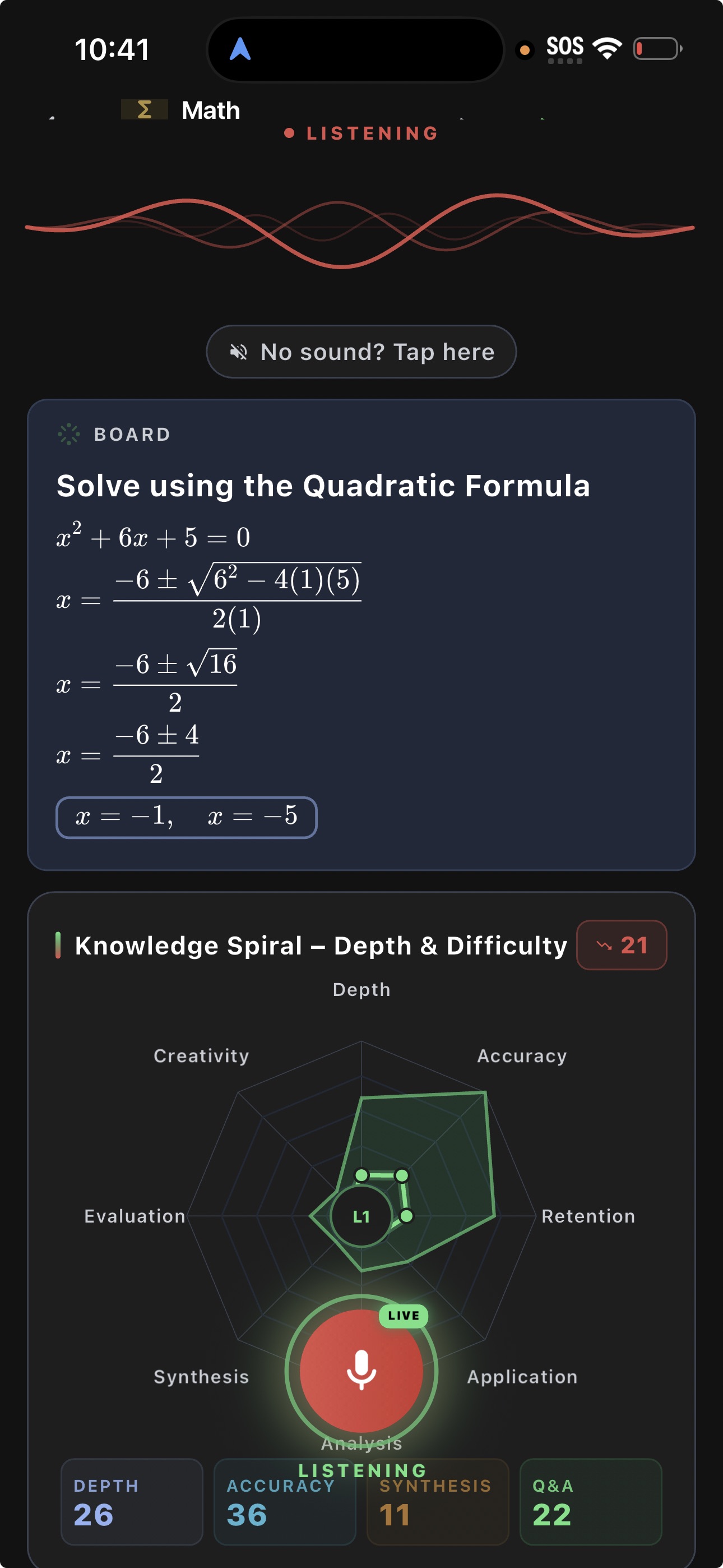
Oral Exam, Tutoring and Math, with a live board that renders formulas.
Paste your material, or pick a topic and let AI Knowledge Mode take it from there.
Socratic, Direct, Encouraging or Strict. Conceptual, applied or mixed questions. Depth from 1 to 10.
Eight dimensions scored live while you talk.
Graded on accuracy, depth, reasoning, recall, application and clarity, with your strongest and weakest moments in your own words. Export as PDF.
Starter, Scholar and Honors: 30, 75 or 180 tutoring minutes a month. Pricing